MoboPlayer Pro1.3.314
Publisher Description
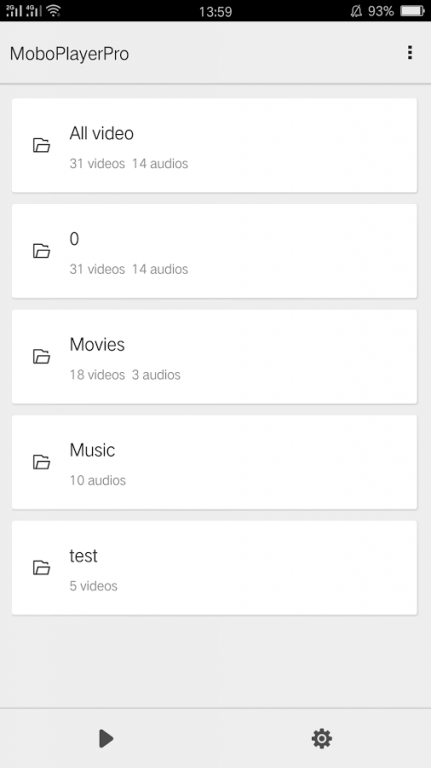
The best video player on Android! Watch any of your videos on a phone without conversion, anytime and anywhere.
We feature the best playback experience and quality.
Our video player supports:
All video formats (need to choose "software decoding" mode in most cases)
Popular subtitle formats such as SRT, ASS, and SAA
Subtitles built in MKV, MPV, MOV, and others
Multi-audio streams and multi-subtitles
Playlists and continuous play on same type files
Videos streamed through HTTP, RTSP protocols
Media libraries and sort videos by type
Thumbnail displays of videos
---
Make the best player for Android platform can not satisfy us now! Now we want to develop a perfection software on Android. If you have any suggestions or bugs, you are welcome to notify us by the following ways:
email: mobo@moboplayer.com
We will attach importance to your feedbacks
--
MoboPlayer dynamically linked to FFmpeg shared library, which was compiled to contain LGPL decoders and splitters only. Source codes can be downloaded from our website.
--KW:moboplayer bestplayer mplayer rockplayer videoplayer ffmpeg mobo moive
About MoboPlayer Pro
The company that develops MoboPlayer Pro is euphmia. The latest version released by its developer is 1.3.314. This app was rated by 2 users of our site and has an average rating of 3.5.
To install MoboPlayer Pro on your Android device, just click the green Continue To App button above to start the installation process. The app is listed on our website since 2016-06-23 and was downloaded 105 times. We have already checked if the download link is safe, however for your own protection we recommend that you scan the downloaded app with your antivirus. Your antivirus may detect the MoboPlayer Pro as malware as malware if the download link to com.clov4r.android.nil.noad is broken.
How to install MoboPlayer Pro on your Android device:
- Click on the Continue To App button on our website. This will redirect you to Google Play.
- Once the MoboPlayer Pro is shown in the Google Play listing of your Android device, you can start its download and installation. Tap on the Install button located below the search bar and to the right of the app icon.
- A pop-up window with the permissions required by MoboPlayer Pro will be shown. Click on Accept to continue the process.
- MoboPlayer Pro will be downloaded onto your device, displaying a progress. Once the download completes, the installation will start and you'll get a notification after the installation is finished.
Program Details
System requirements
Download information
Pricing
Version History
version 1.3.314
posted on 2016-06-23
added:Restore "long press to get screenshot",fixed:Crash when adjusting some videos' volume,fixed:Gif cliped from video of non-zero degree is stretched,fixed:Improve the effect of "refresh"
